Auto-zoom that reads the take
Clicks and long pauses become zoom targets on the timeline. Depth, hold time and sensitivity are yours to set — or leave on the defaults and let it follow the cursor.
Record with the native capturer on your OS, then let clicks and pauses become zoom, motion and captions on a timeline you can still edit by hand. Free plan, no watermark.
Windows · macOS · Linux — native capture, local render, no watermark
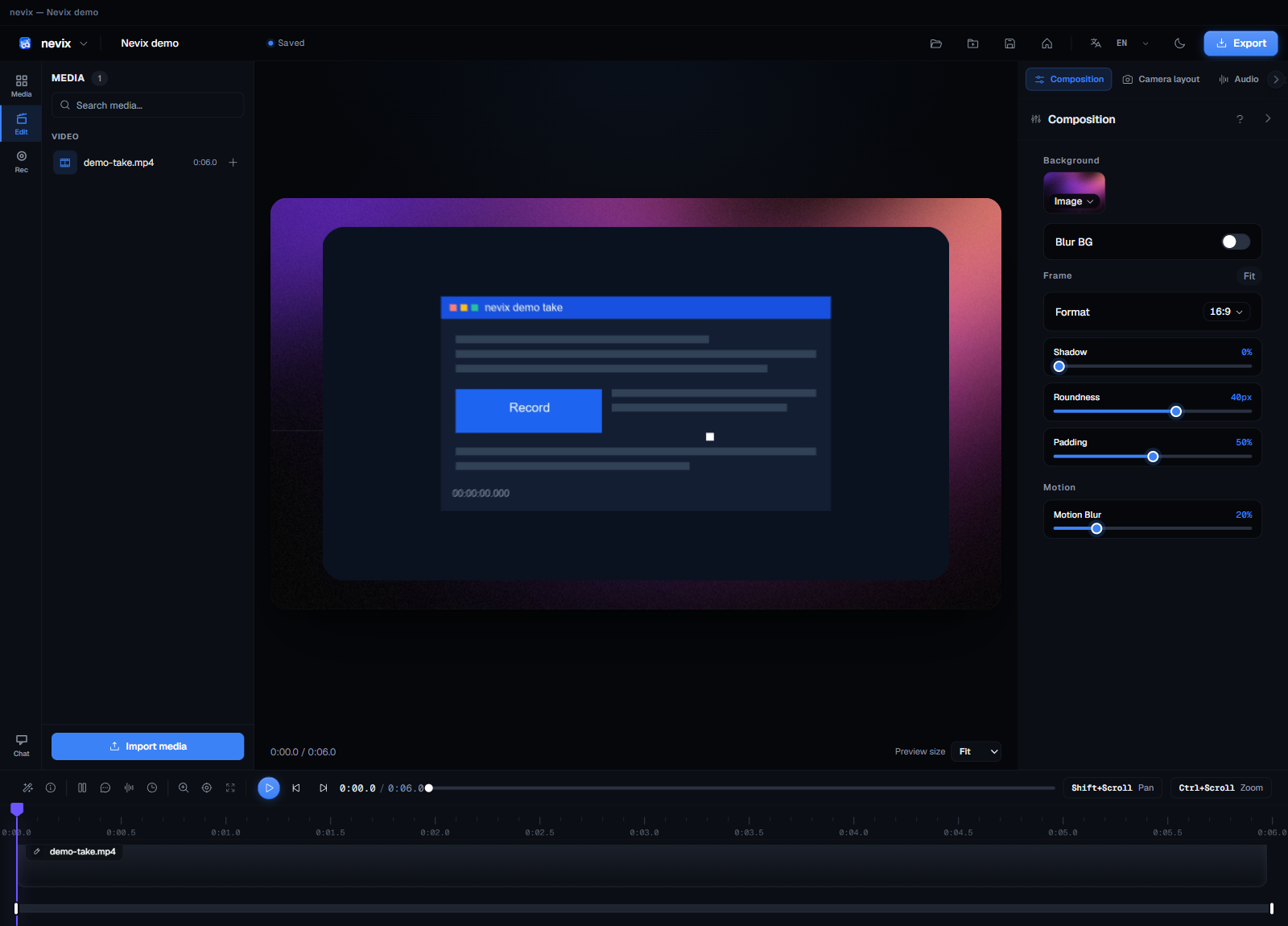
Clicks and long pauses become zoom targets on the timeline. Depth, hold time and sensitivity are yours to set — or leave on the defaults and let it follow the cursor.
Drop screen takes, webcam clips, audio and images onto a single track stack. Trim, split, reorder and speed-ramp without leaving the app.
Every zoom, pan and caption cue is a real keyframe with named easing. No black box: click any segment and the exact values are in front of you.
Inside the editor
Recording is the easy half. These are the parts that decide whether a take is watchable or just a file.
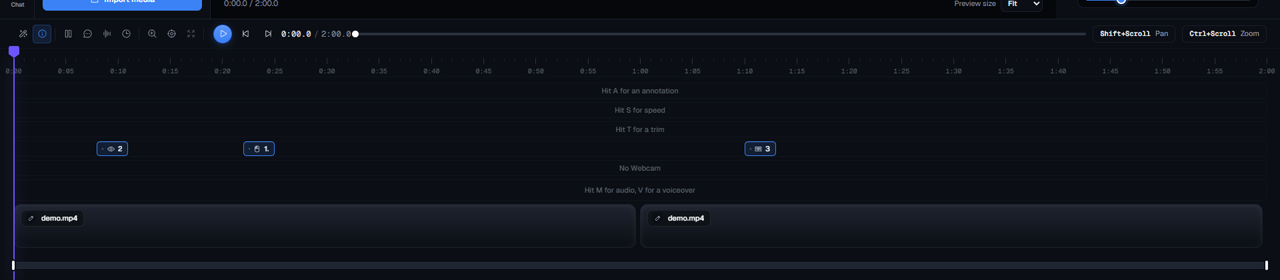
Clicks become zoom targets. Dwell detection fills the gaps so the timeline is never empty where you slowed down to explain something.
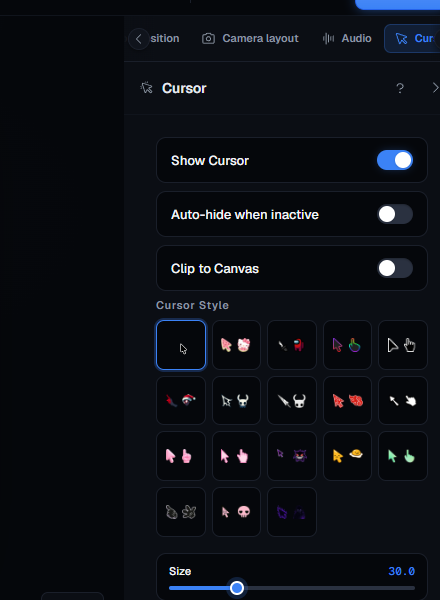
Cursor size, smoothing, click ripple and a highlight ring. The app draws its own cursor over the capture, so it stays crisp at any export size.
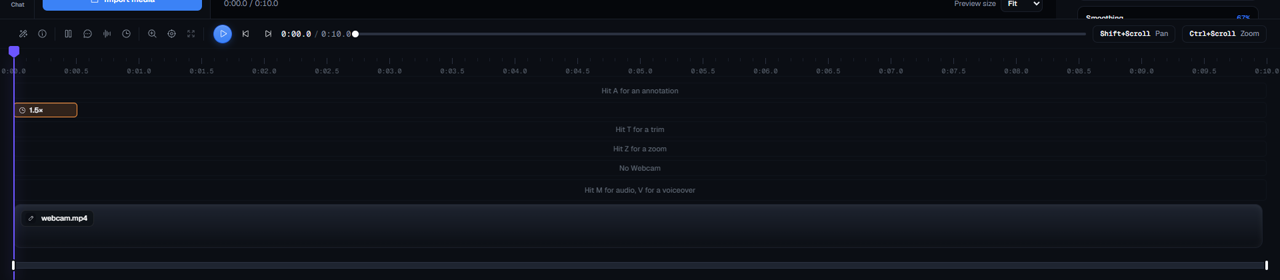
Eleven of them — linear, quad, cubic, spring, bounce — with per-segment speed readouts so you can see what a curve actually did.
Shorts, Minimal, Broadcast and Karaoke. Each preset sets style, position and animation together, and every field stays editable after you pick one.
Captions
Speech-to-text runs locally through Whisper. Captions land as timed cues on the same timeline as your video, so trimming the take trims the words with it.
Export
The same compositor runs the editor's export button and a headless Node entry point, so a job can be queued on a machine with no display attached.
H.264 or H.265, any resolution, 16:9 through 9:16. No watermark burned in, and no length cap.
A small HTTP server loads the same native addon and returns an MP4. Useful for CI and for render boxes.
Chat and caption translation use a provider key you supply. Nothing is proxied through us, because there is no us to proxy it through.
Pricing
The full editor is free. Pro is for rendering in the cloud and keeping projects in sync across machines.
$0 free
Everything you need to record and edit on your own machine.
$9 /month
Everything in Free, plus everything that needs a server. Pro features open gradually to early-access members.
Payments via Stripe (cards & bank transfer) — checkout opening soon. Prices in USD.
Recording, editing, captions and export are free for personal and commercial use. No trial countdown, no watermark burned into your videos.
Your footage never leaves the machine. No telemetry and no server-side copy of your recordings.
One codebase, native capture on each. Ships as .exe, .dmg and .deb, plus AppImage and Nix packages.
Install
# drag Nevix to Applications, then
xattr -rd com.apple.quarantine /Applications/Nevix.app
ScreenCaptureKit native capture, with the HUD and Notes windows kept out of the recording.
# nothing to type — double-click the installer
and record.
Windows Graphics Capture, with system audio on by default.
# download the .deb from Releases, then
sudo apt install ./Nevix-Linux-*.deb
PipeWire portal capture; system audio needs a PipeWire source.
FAQ
Windows, macOS and Linux. Capture is native on each — ScreenCaptureKit on macOS, Windows Graphics Capture on Windows, the PipeWire portal on Linux — and editing and export run locally on your own GPU.
No. Any recent machine records fine. A discrete GPU only makes export faster, and the renderer falls back to CPU when there isn't one.
No. Recordings stay in your own recordings folder and every render is local. Text only leaves the machine if you use the AI chat or caption translation, and only with the provider key you supply.
Yes. The Free plan covers recording, editing, captions and export with no watermark. Pro adds cloud rendering, project sync and priority support, and is currently opening in early access — see the pricing section below.
No. You can record and edit without signing in — projects are plain files on your disk. An account is only needed if you take a Pro subscription.